Unity & C# 学習教材
Transform でオブジェクトを操作する
すべての GameObject は Transform コンポーネントを持っており、位置・サイズ・回転を管理しています。このページでは、スクリプトから Transform を通じてオブジェクトを自在に配置・変形する方法を学びます。
学習目標
transformプロパティから Transform コンポーネントを取得できるpositionでオブジェクトの位置を設定できるrotation(Quaternion.Euler)でオブジェクトを回転させられるlocalScaleでオブジェクトのサイズを変更できる
前提知識
- GameObject の生成と操作 を読んでいること
1. Transform コンポーネントとは
Transform はすべての GameObject が必ず持つ特別なコンポーネントで、位置・サイズ(スケール)・回転の3つを管理します。
GameObject.transform — GameObject の Transform コンポーネントを取得します。
1
public Transform transform { get; }
Transform を取得したら、そのプロパティを通じてオブジェクトを操作できます。
1
gameObject.transform.プロパティ名 = 値;
2. Vector3 — 3次元の値を表す構造体
位置・サイズには Vector3 構造体を使います。X・Y・Z の3つの値をひとまとめにしたものです。
Vector3 コンストラクター
1
public Vector3(float x, float y, float z);
| パラメータ | 説明 |
|---|---|
x |
X 軸方向の値 |
y |
Y 軸方向の値(上下) |
z |
Z 軸方向の値 |
Vector3 の値を作るには new 演算子を使い、コンストラクター(新しい値を作成するための特別な呼び出し)を呼び出します。この new Vector3(...) の結果が Vector3 の値となり、プロパティに直接代入したり変数に保存したりできます。
1
new Vector3(20, 1, 10)  // X=20, Y=1, Z=10 の Vector3 値
3. position で位置を設定する
Transform.position — ワールド空間でのオブジェクトの位置を設定します。
1
public Vector3 position { get; set; }
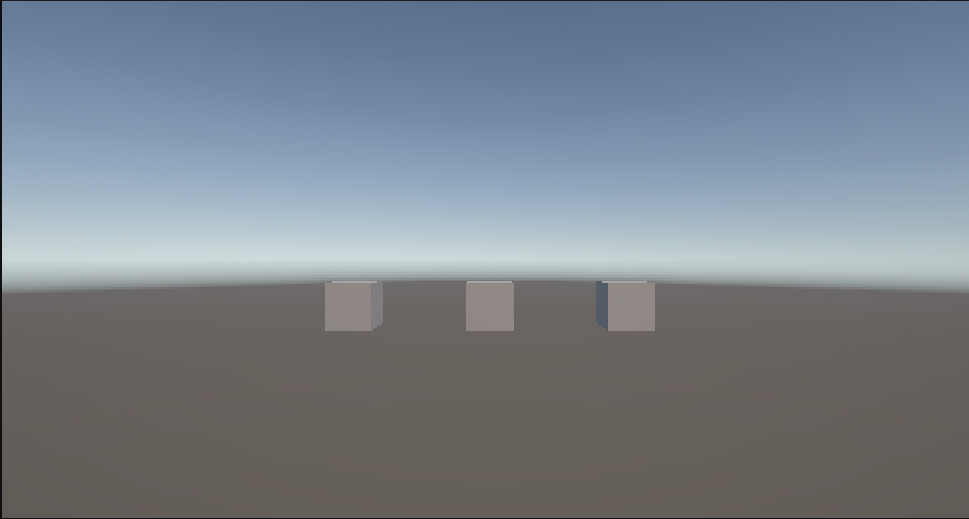
何も指定しなければオブジェクトは原点(Vector3(0, 0, 0))に生成されます。position を指定することで、オブジェクトを任意の位置に配置できます。複数のオブジェクトに異なる position を設定すると、位置の違いが一目でわかります。
1
2
3
4
5
6
7
8
9
10
11
12
13
14
15
16
17
18
19
using UnityEngine;

public class TransformSample : MonoBehaviour
{
    private void Start()
    {
        var cubeA = GameObject.CreatePrimitive(PrimitiveType.Cube);
        cubeA.name = "CubeA";
        cubeA.transform.position = new Vector3(-3, 0, 0);

        var cubeB = GameObject.CreatePrimitive(PrimitiveType.Cube);
        cubeB.name = "CubeB";
        cubeB.transform.position = new Vector3(0, 0, 0);

        var cubeC = GameObject.CreatePrimitive(PrimitiveType.Cube);
        cubeC.name = "CubeC";
        cubeC.transform.position = new Vector3(3, 0, 0);
    }
}
4. rotation でオブジェクトを回転させる
Transform.rotation — オブジェクトの回転を設定します。
1
public Quaternion rotation { get; set; }
このプロパティは Vector3 ではなく Quaternion(四元数) という値を受け取ります。Quaternion はコンピューターが回転を効率よく扱うための内部表現で、直接数値を入力するのが難しい形式です。
そこで、Unity では人間が直感的に扱いやすいオイラー角(X・Y・Z 軸ごとの角度)から Quaternion に変換するメソッドが用意されています。
Quaternion.Euler — オイラー角(度数)から Quaternion 値に変換します。
1
public static Quaternion Euler(float x, float y, float z);
| パラメータ | 説明 |
|---|---|
x |
X 軸まわりの回転角度(度) |
y |
Y 軸まわりの回転角度(度) |
z |
Z 軸まわりの回転角度(度) |
1
2
3
4
5
6
7
8
9
10
11
12
13
14
15
16
17
18
19
20
21
22
using UnityEngine;

public class TransformSample : MonoBehaviour
{
    private void Start()
    {
        var cubeA = GameObject.CreatePrimitive(PrimitiveType.Cube);
        cubeA.name = "CubeA";
        cubeA.transform.position = new Vector3(-3, 0, 0);
        cubeA.transform.rotation = Quaternion.Euler(0, 0, 0);

        var cubeB = GameObject.CreatePrimitive(PrimitiveType.Cube);
        cubeB.name = "CubeB";
        cubeB.transform.position = new Vector3(0, 0, 0);
        cubeB.transform.rotation = Quaternion.Euler(0, 0, 30);

        var cubeC = GameObject.CreatePrimitive(PrimitiveType.Cube);
        cubeC.name = "CubeC";
        cubeC.transform.position = new Vector3(3, 0, 0);
        cubeC.transform.rotation = Quaternion.Euler(0, 0, 60);
    }
}
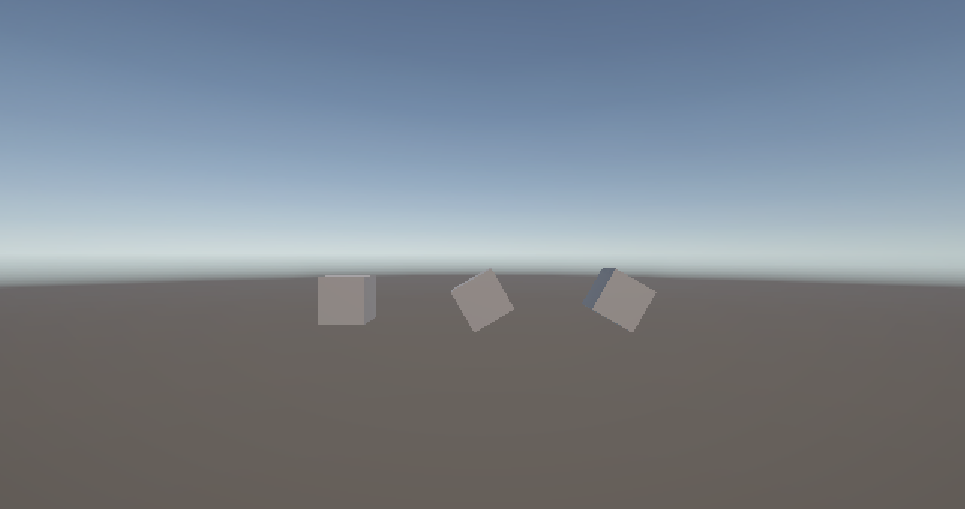
Z 軸に 0・30・60 度をそれぞれ指定することで、回転量の違いが比較できます。
5. localScale でサイズを変更する
Transform.localScale — オブジェクトのスケール(拡大率)を設定します。
1
public Vector3 localScale { get; set; }
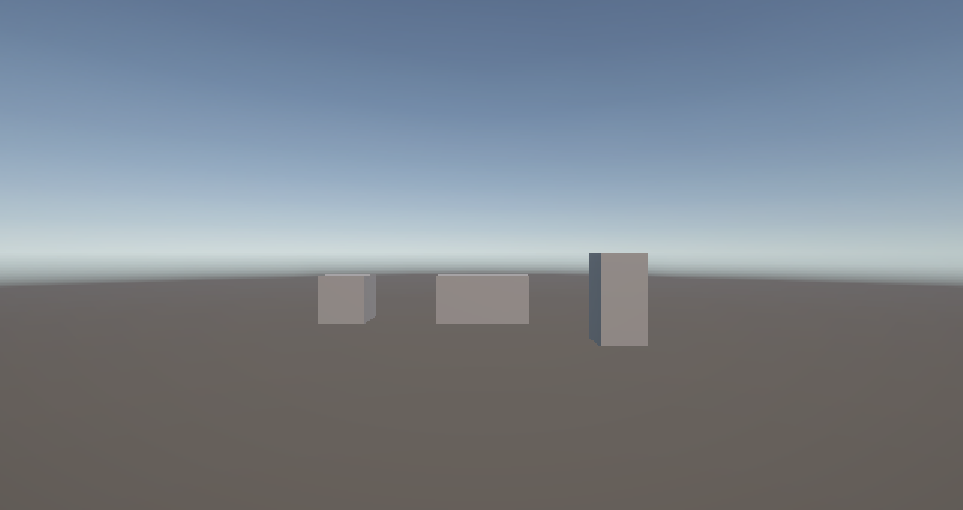
初期値は new Vector3(1, 1, 1)(等倍)です。複数のオブジェクトに異なるスケールを設定すると、大きさの違いが一目でわかります。
1
2
3
4
5
6
7
8
9
10
11
12
13
14
15
16
17
18
19
20
21
22
using UnityEngine;

public class TransformSample : MonoBehaviour
{
    private void Start()
    {
        var cubeA = GameObject.CreatePrimitive(PrimitiveType.Cube);
        cubeA.name = "CubeA";
        cubeA.transform.position = new Vector3(-3, 0, 0);
        cubeA.transform.localScale = new Vector3(1, 1, 1);

        var cubeB = GameObject.CreatePrimitive(PrimitiveType.Cube);
        cubeB.name = "CubeB";
        cubeB.transform.position = new Vector3(0, 0, 0);
        cubeB.transform.localScale = new Vector3(2, 1, 1);

        var cubeC = GameObject.CreatePrimitive(PrimitiveType.Cube);
        cubeC.name = "CubeC";
        cubeC.transform.position = new Vector3(3, 0, 0);
        cubeC.transform.localScale = new Vector3(1, 2, 1);
    }
}
まとめ
- Transform コンポーネントはすべての GameObject が持ち、位置・回転・サイズを管理する
positionにはnew Vector3(x, y, z)でワールド座標を設定するrotationにはQuaternion.Euler(x, y, z)でオイラー角から変換した値を使うlocalScaleにはnew Vector3(x, y, z)で各軸の拡大率を設定する
理解度チェック
- Transform が管理する3つの情報は何ですか?
localScale = new Vector3(1, 3, 1)にするとオブジェクトはどう変化しますか?rotationプロパティにVector3を直接代入できないのはなぜですか?
解答を見る
- 位置(position)・サイズ(localScale)・回転(rotation)
- Y 軸方向に3倍に伸びる(縦長になる)
rotationの型はQuaternionであり、Vector3とは異なる型のため。角度で指定したい場合はQuaternion.Euler()で変換する。
次のステップ
AddComponent と物理演算 では、コンポーネントをスクリプトから追加してオブジェクトに物理挙動を与える方法を学びます。